Contact Us

MyTorus account
Report repairs, pay your rent, and update your details. Find information about MyTorus further down this page.
Your MyTorus account

Contact form
Complete our customer contact form, and we will get back to you as soon as we can.
Contact form

Call us
Our normal opening hours are:
Monday to Friday: 8am to 8pm
Saturday: 8am to 12noon
You can find our full opening hours further down the page.
0800 678 1894
Free from UK landlines and may be recorded for monitoring purposes.

Customer Hub opening times
You can contact our Customer Hub Team about your home, where you live and managing your tenancy during our usual opening times:
- Monday to Friday: 8am to 8pm
- Saturday: 8am to 12noon
Our phones lines can very busy, so the best time to call us is after 6pm, Monday to Friday, and Saturdays.
Outside of of our usual opening hours, you can get in touch about emergency repairs only.
These include:
- Weekends
- Bank holidays and
- Training.
Customer Hub planned service changes
We like to make sure our teams have the training they need, so they can support you as best they can. While our Customer Hub team is training, you can still report emergency repairs, thanks to our out-of-hours support from HMS.
Our Customer Hub teams are in training on the following dates, between 2pm and 4pm:
- Tuesday, 8 December
2027
- Tuesday, 12 January
- Tuesday, 9 February
- Tuesday, 9 March
- Tuesday, 13 April
- Tuesday, 12 May
Contacting Torus Customer Hub over the Christmas period
We’ll be here over the festive period if you need to speak to us. While we’ll run a slightly reduced service, we’ll do all we can to help.
When we are closed, you’ll still be able to report emergency repairs by calling our out-of-hours service on 0800 678 1894.
|
Day
|
Date
|
Customer Hub Hours
|
|---|---|---|
|
Monday
|
21 December 2026
|
8am to 8pm (Normal working hours)
|
|
Tuesday
|
22 December 2026
|
8am to 8pm (Normal working hours)
|
|
Wednesday
|
23 December 2026
|
8am to 8pm (Normal working hours)
|
|
Thursday
|
24 December 2026 Christmas Eve |
8am to 2pm
|
|
Friday
|
25 December 2026 Christmas Day |
Closed
|
|
Saturday
|
26 December 2026 Boxing Day |
Closed
|
|
Sunday
|
27 December 2026
|
Closed
|
|
Monday
|
28 December 2026 Bank Holiday |
Closed
|
|
Tuesday
|
29 December 2026 |
8am to 4pm
|
|
Wednesday
|
30 December 2026
|
8am to 4pm
|
|
Thursday
|
31 December 2026 New Year’s Eve |
8am to 4pm
|
|
Friday
|
1 January 2027 New Year’s Day |
Closed
|
|
Saturday
|
2 January 2027
|
8am to 12noon (Normal working hours)
|
|
Sunday
|
3 January 2027
|
Closed
|
|
Monday
|
4 January 2027
|
8am to 8pm (Normal working hours)
|
Our receptions and offices
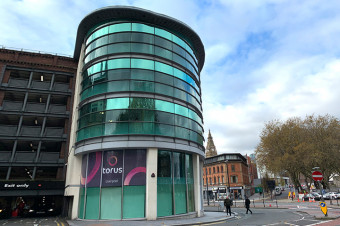
Torus Liverpool
Address:
The Observatory, 1 Old Haymarket, L1 6RA
Usual opening hours:
Monday to Friday, 8.30am to 5pm
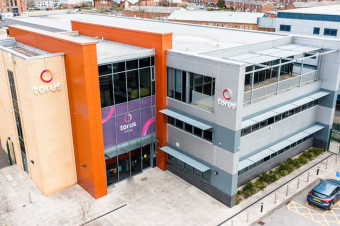
Torus St Helens
Address:
Central, 4 Corporation Street, WA9 1LD
Usual opening hours:
Monday to Friday, 9am to 5pm

Torus Warrington
Address:
Bank Park House, Kendrick Street, WA1 1UZ
Usual opening hours:
Monday to Friday, 9am to 5pm
Visiting our receptions over the Christmas period
Our Torus receptions' opening times are slightly different from Thursday, 24 December 2026. We will return to our usual opening hours on Monday, 4 January 2027.
When we are closed, you’ll still be able to report emergency repairs by calling our out-of-hours service on 0800 678 1894.
|
Day
|
Date
|
Torus reception opening hours
|
|---|---|---|
|
Monday
|
21 December 2026
|
8:30am to 5pm in Liverpool 9am to 5pm in Warrington and St Helens |
|
Tuesday
|
22 December 2026
|
8:30am to 5pm in Liverpool 9am to 5pm in Warrington and St Helens |
|
Wednesday
|
23 December 2026
|
8:30am to 5pm in Liverpool 9am to 5pm in Warrington and St Helens |
|
Thursday
|
24 December 2026 Christmas Eve |
8:30am to 2pm in Liverpool
9am to 2pm in Warrington and St Helens
|
|
Friday
|
25 December 2026 Christmas Day |
Closed
|
|
Saturday
|
26 December 2026 Boxing Day |
Closed
|
|
Sunday
|
27 December 2026
|
Closed
|
|
Monday
|
28 December 2026 Bank Holiday |
Closed
|
|
Tuesday
|
29 December 2026
|
8:30am to 4pm in Liverpool 9am to 4pm in Warrington and St Helens |
|
Wednesday
|
30 December 2026
|
8:30am to 4pm in Liverpool 9am to 4pm in Warrington and St Helens |
|
Thursday
|
31 December 2026 New Year’s Eve |
8:30am to 4pm in Liverpool 9am to 4pm in Warrington and St Helens |
|
Friday
|
1 January 2027 New Year’s Day |
Closed
|
|
Saturday
|
2 January 2027
|
Closed
|
|
Sunday
|
3 January 2027
|
Closed
|
|
Monday
|
4 January 2027
|
8:30am to 5pm in Liverpool 9am to 5pm in Warrington and St Helens |
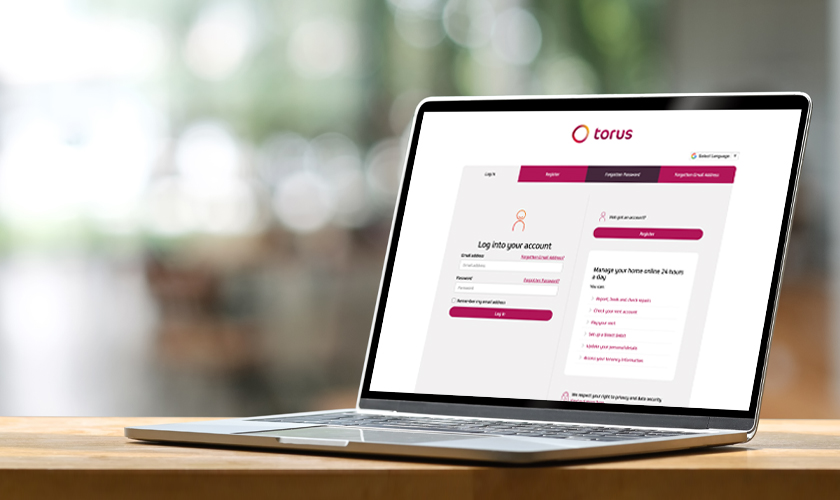
Save time, do it online
The easiest way to manage your home is using your MyTorus online account.
Report repairs
We know your life can get busy. With your MyTorus account, you can report repairs any time of day.
Check your balance
The best way to pay your rent is by Direct Debit, but you can check and pay your rent balance in your MyTorus account.
Keep up to date
Make sure your contact details are right, and opt-in to in-app notifications to keep up to date.
Reschedule appointments
We get it, plans change. If you need to change the time or date of your appointments, you can do it straight from your phone in your MyTorus account.
To register for a MyTorus account, you will need:
- Your tenancy reference number (a 9 digit number on your tenancy agreement) - Not sure what your tenancy reference number is?
- First name and surname
- Date of birth
If your details don’t match the details we have on record for you, you will not be able to access your online account and you will need to contact us.
Manage your tenancy anytime, anywhere with the MyTorus app.
You can check the details we have for you in your MyTorus online account.
Need to update your details, like your mobile number or your email address?
The easiest way to change your details is to:
- Fill in the contact form – updating my details, or
- You can call the Customer Hub – you will need to confirm your tenancy details.
If you have logged onto your Torus online account in the last 6 months, you should receive an email from [email protected] with a link to reset your password.
Please note: this link will only be active for 24 hours, but don’t worry if you miss this. You can reset your password at portal.torus.co.uk.
Your new password will need to have at least:
- 12 characters
- 1 capital letter
- 1 lower letter
- 1 number
- 1 special character (for example, ?!ӣ%^&)
Once you have confirmed your new password, we will ask you to set up an additional level of security. This will be by code sent to you by email address or text.
If you have not logged onto your Torus online account for 6 months or more, you will need to sign-up again for an account.
To sign-up to your MyTorus online account, you will need:
- Your tenancy reference number (which is a 9 digit number you can find on your tenancy agreement)
- First name and surname
- Date of birth
Don't know your tenancy reference number? Text TENANCYNO to 07520 660 235 and we will send you it by text. You can also find your tenancy reference number in your annual rent and service charge booklet.
If the tenancy reference number doesn’t match the details we have on record for you, you will not be able to get into your online account and you will need to contact our Customer Hub Team.
You will need to set up a password when you sign up for your MyTorus online account. Your password must have:
- 12 characters minimum
- 1 Capital letter
- 1 lower case letter
- 1 number
- 1 special character, for example: ?!ӣ%^&
Once you have confirmed your new password, we will ask you to set up extra security. We will send you a code by email address or text to do this.
If you are still struggling to get into your online account, please contact our Customer Hub Team.

Accessibility
- For non-emergency requests, you can complete a contact form or email [email protected]
- If you would like to call us, or need to call us to report an emergency, and are deaf, hard-of-hearing, or speech-impaired, you can use the free BT service Relay UK.
We want website visitors to have the best possible experience by reducing barriers between the content and our audience.
Our ReachDeck feature adds speech, reading, and translation to our website facilitating access and participation for people with:
- Dyslexia
- Low Literacy
- Speak English as a Second Language
- Mild visual impairments
On your phone
Click the menu tab (three lines in the top right) and select the ReachDeck icon (white person in a pink circle) to start.
A toolbar will appear at the bottom of your screen.
To have the text on our website read out to you, click the first icon and select the text you want to read.
Our website can be translated into over 100 different languages. Click the middle icon in the toolbar and select your language from the drop-down menu.
On a desktop computer and tablets
Click the ReachDeck icon (white person in a pink circle) in the top right corner of the website
A toolbar will appear at the top of your screen.
From this toolbar, you will be able to
- Have text read allowed to you
- Translate the text into 100+ languages
- Look up unfamiliar words in picture dictionary
- Create an mp3 of the content
- Add a screen mask to help you focus
- Magnify the text
- Simplify the site to make it easier to read

Get quick answers by text
No need to wait to speak to our Customer Hub if you have a quick query, we can text you back.
Remember, this service will only work if we have an up-to-date mobile number for you.
Text Balance to 07520 660 235 to get your account balance from the close of business on the previous day.
Text CHARGES to 07520 660 235 to get a breakdown of your service charges
Text TENANCYNO to 07520 660 235 to get your tenancy reference number
Can't find what you're looking for? Why not search the website?
MP and Councillor enquiries
Please use [email protected] as your primary contact for constituent enquiries. This ensures we can log, track and assign enquiries to the appropriate team. Enquiries sent through other channels will be redirected to this inbox to ensure a consistent process.
Media enquiries
If you're a journalist with a press enquiry, please send it directly to our Communications Team by emailing [email protected]. This email account is only monitored Monday to Friday during office hours.
Subject Access Requests
Individuals have the right to access information about their personal data that Torus is processing. Individuals can exercise this right easily and at reasonable intervals to verify the lawfulness of the processing. To submit a Subject Access Request, please complete the form at the link below.
Social Tenants Access to Information Requirements scheme (STAIRs)
Tenants can access information about Torus and its activities under a Government initiative called STAIRs.